
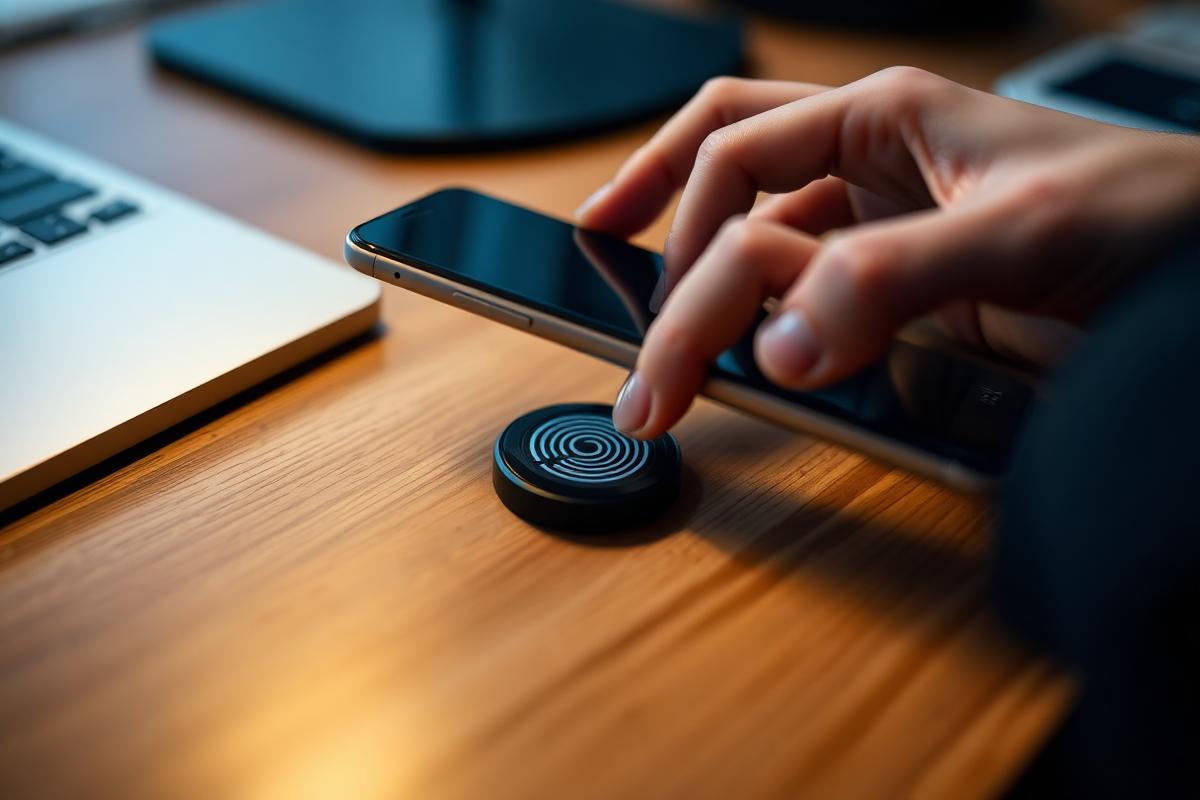
NFC stands for Near Field Communication. It is a short-range wireless technology, and almost every modern smartphone has it built in. NFC tags use this technology to trigger actions on your phone with a single tap.
Quick answer: an NFC tag is a tiny, battery-free chip with an antenna. When you hold a phone close to it, the phone powers the chip and reads its stored instruction. That instruction can open a website, share Wi-Fi, run a shortcut or share your contact details.
How do NFC tags work?
An NFC tag is a tiny chip with a built-in antenna. It stores a small amount of data. Surprisingly, it needs no battery. Instead, when a phone taps within a few centimetres, the phone’s own signal powers the chip. This lasts just long enough to read the tag or trigger its action.
The technology behind the tap
NFC works on a radio frequency of 13.56 MHz. The phone creates a small magnetic field around its NFC antenna. When a tag enters that field, its antenna picks up enough energy to wake the chip. The chip then sends its data back to the phone.
Because this field is so weak, NFC only works over very short distances. In everyday use, that usually means about four centimetres or less. This short range is actually a feature. It means a tag only responds when someone deliberately taps it.
What data does an NFC tag store?
Most NFC tags store information in a standard format called NDEF. This format is maintained by the NFC Forum, the industry group behind NFC standards. Thanks to this shared standard, a tag written on one phone can be read by another.
The storage space is small. For example, a popular chip called NTAG213 holds 144 bytes of usable memory. Larger chips, such as NTAG215 and NTAG216, hold more. Still, that is plenty for a web link, a Wi-Fi login or a short contact card.
What can you do with NFC tags?
Each tag can be set up to do one specific thing when tapped. For example, popular uses include:
- Instant Wi-Fi sharing: a guest taps their phone and connects automatically, with no password to type.
- One-tap actions: open a music app, share a contact card or launch a website.
- Changing settings: turn on your hotspot, switch to silent mode or start a smart home routine.
- Digital business cards: share your contact details or portfolio link with a single tap.
Everyday ideas for NFC tags at home
NFC tags are most useful when they sit exactly where you need them. Here are some simple ideas:
- By the front door: tap to switch off smart lights or start a leaving-home routine.
- On the bedside table: tap to set an alarm and turn on do-not-disturb.
- In the guest room: tap to join the Wi-Fi without sharing your password aloud.
- In the car: tap to open maps and start your driving playlist.
- On the fridge: tap to open a shared shopping list.
How businesses use NFC tags
NFC tags are not only for the home. In fact, many small businesses use them to make customer contact quicker. For instance:
- Review stands: customers tap to open your Google review page.
- Menus and price lists: guests tap to view an online menu.
- Social media plaques: visitors tap to follow your page.
- Product displays: shoppers tap to see instructions, videos or care guides.
- Networking: a tap on an NFC business card shares your details in seconds.
Because the tag only holds a link, you can update the page behind it at any time. As a result, the same printed tag stays useful even when your offer changes.
Do NFC tags work with iPhone and Android?
Yes. Most modern Android phones can read and write NFC tags, although NFC sometimes needs to be switched on in settings. Newer iPhones can also read NFC tags. On recent models, you usually just hold the top of the phone near the tag while the screen is on.
On iPhone, you can also use the built-in Shortcuts app to create personal automations. For example, tapping a tag can start a timer or send a message. However, some automations may ask you to confirm before they run.
How do you program an NFC tag?
Programming, often called writing, an NFC tag is quick. Here is the general process:
- Install a free NFC writing app on your phone.
- Choose the action you want, such as a link, Wi-Fi details or text.
- Hold your phone near the tag to write the data.
- Test it by tapping the tag again.
Once the tag works as expected, you can choose to lock it. Locking makes the tag read-only, so nobody can change it. However, this step is permanent. So only lock a tag once you are sure the content will not change.
Are NFC tags safe?
NFC tags are generally very safe. First, they only work at very short range, so they cannot be read from across a room. Second, most tags only store a link or a simple instruction. They cannot access your phone, contacts or bank details on their own.
That said, a few sensible habits help:
- Lock public-facing tags so nobody can overwrite them with a different link.
- Do not store private information, such as passwords, on a tag in a public place.
- Check where a link leads before you enter any personal details.
It is also worth knowing that NFC tags do not track location. Unlike a GPS tracker, a tag has no power and no signal of its own.
Why put NFC tags inside a 3D printed case?
Because the chip is so small, it fits into almost any object. For instance, it can go in a keychain, a desk plaque, a car dashboard mount or a custom 3D-printed case.
That is exactly what we do with our custom NFC tags. We design durable, good-looking housings around the chip. As a result, the tag fits naturally into daily life instead of looking like a bare sticker.
Choosing the right case material
NFC signals pass easily through plastic. Therefore, 3D printed plastic makes an ideal housing. For indoor tags, PLA gives a clean, detailed finish. For tags used in a car or outdoors, PETG handles heat and sunlight better. You can compare these options in our guide to choosing the right 3D printing material.
Why metal causes problems
Metal, on the other hand, interferes with NFC signals. A standard tag placed directly on a metal surface may not work at all. Special on-metal tags exist, but a plastic housing that lifts the tag away from metal can also help.
NFC vs RFID vs Bluetooth: what is the difference?
These three technologies are often confused. However, each one is built for a different job.
- NFC tags work at very short range, need no battery and are designed for a deliberate tap from a phone.
- RFID is the wider family that NFC belongs to. Some RFID systems, such as warehouse and toll-gate tags, read from much further away. Most phones, however, cannot read those longer-range tags.
- Bluetooth connects devices over several metres and needs power on both sides. It suits headphones and speakers, not one-tap actions.
In short, NFC is the simplest choice when you want a quick, intentional tap that works with an ordinary phone.
How do you set up an NFC shortcut step by step?
Setting up NFC tags for personal automations takes only a few minutes. The steps differ slightly between phones.
On iPhone
- Open the Shortcuts app and go to the Automation tab.
- Create a new personal automation and choose NFC.
- Scan your NFC tag and give it a name.
- Choose the action you want, such as playing music or turning on focus mode.
- Save the automation, then tap the tag to test it.
On Android
- Make sure NFC is switched on in your phone’s settings.
- Install an NFC writing or automation app.
- Choose a task, such as opening a link or changing a setting.
- Hold the phone near the tag to write the task.
- Tap the tag again to confirm it works.
The exact menu names can vary by phone and software version. Still, the overall process stays the same.
Where should you place NFC tags?
The best spot for NFC tags is wherever the action naturally happens. For example, a Wi-Fi tag belongs in the lounge or guest room, not in a drawer. Similarly, a car tag works best within easy reach of the driver.
Keep these placement tips in mind:
- Make tags easy to find. A clear icon or label shows people where to tap.
- Avoid metal surfaces. Metal can block the signal unless you use an on-metal tag or a spacer.
- Keep the path clear. Thick materials between the phone and tag can weaken the connection.
- Protect tags in busy areas. A sturdy printed housing prevents peeling and damage.
How many NFC tags do you need?
Each tag usually performs one action. Therefore, most people start with two or three tags for their most common tasks. For example, you might choose one for Wi-Fi, one for the car and one for bedtime. Later, you can add more as you find new uses.
Frequently asked questions
Do NFC tags need a battery?
No. NFC tags are passive. They draw power from the phone’s NFC field during each tap, so they have nothing to charge or replace.
How long do NFC tags last?
Because they have no battery, NFC tags can last for many years. Their memory can also be rewritten many thousands of times, unless the tag has been locked.
Can NFC tags be reprogrammed?
Yes, most NFC tags are rewritable. So if your needs change, you can usually reprogram the same tag rather than replace it. The only exception is a tag that has been permanently locked.
Can NFC tags take payments?
No. Tap-to-pay uses NFC, but payment cards and phones rely on secure hardware inside them. A simple NFC tag cannot process payments. However, it can link to a payment page if you want it to.
What is the difference between NFC and a QR code?
Both can open a link. However, a QR code needs the camera and good lighting. An NFC tag only needs a quick tap. Many businesses use both, so every customer has an easy option.
Get your own custom NFC tags
NFC tags are a simple way to make everyday tasks faster. With the right housing, they also look good on a desk, a wall or a keyring. Browse our custom NFC tags to get started.
Have an idea for a custom design or a business display? Contact us, and we will help you plan the right tag and case for the job.